



Background Image
Image
Image
Image
Image

FAMILY PLANNING · A CLEARER WAY FORWARD

Better planning starts with the whole family.

Bring family goals, contributions and documents together, so your team can prepare useful plans and better conversations.

Built for the teams behind every family’s next step.

The NestiFi Families workspace with family profiles and relationships in a white Safari browser

FROM FAMILY CONTEXT TO A USEFUL PLAN

Help each family move forward.

A shared view for your team. A clearer next step for the families you serve.

FROM FAMILY CONTEXT TO A USEFUL PLAN

Help each family move forward.

A shared view for your team. A clearer next step for the families you serve.

FROM FAMILY CONTEXT TO A USEFUL PLAN

Help each family move forward.

A shared view for your team. A clearer next step for the families you serve.

Understand the family

Bring people, goals and contributions into one view.

Understand the family

Bring people, goals and contributions into one view.

Understand the family

Bring people, goals and contributions into one view.

Build around their goals

Explore timelines and contributions together.

Build around their goals

Explore timelines and contributions together.

Build around their goals

Explore timelines and contributions together.

Prepare the conversation

Turn family context into a useful review brief.

Prepare the conversation

Turn family context into a useful review brief.

Prepare the conversation

Turn family context into a useful review brief.

Five families ready for review, including three high-priority items

Know where your attention matters.

See which families need a conversation and why. Bring goals, contributions and review priorities into view, so your team can focus on a useful next step.

Icon
Family priorities
Icon
Goals in view
Icon
Review queue
Icon
Clear next steps

Build a plan together.

Help families explore what they are working towards. Adjust contributions, time and growth assumptions in the app, then bring the pieces together in a clear family plan.

Icon
Contributions
Icon
Flexible timelines
Icon
Clear inputs
Icon
A plan to revisit
Adjust contributions in the NestiFi app and see the resulting family plan and growth projection

Walk into every review prepared.

Bring the family’s goals, relationships and priorities into one review brief. Seb helps gather the context, so your team can check the details and prepare the conversation.

Logo
Explore the question

Ask about the family’s position, goals or priorities in a natural conversation.

Prepare the document

Bring the relevant context into a draft brief or document for the next meeting.

Keep your team in control

Review the detail, confirm what matters and decide which next steps to take.

A family review request with Seb reading the family context and preparing the next step

FAMILY DOCUMENTS

Give the plan a clear record.

Keep the family’s financial picture close to the conversation. Bring together their overview, education and saving goals, contributions and family directory.

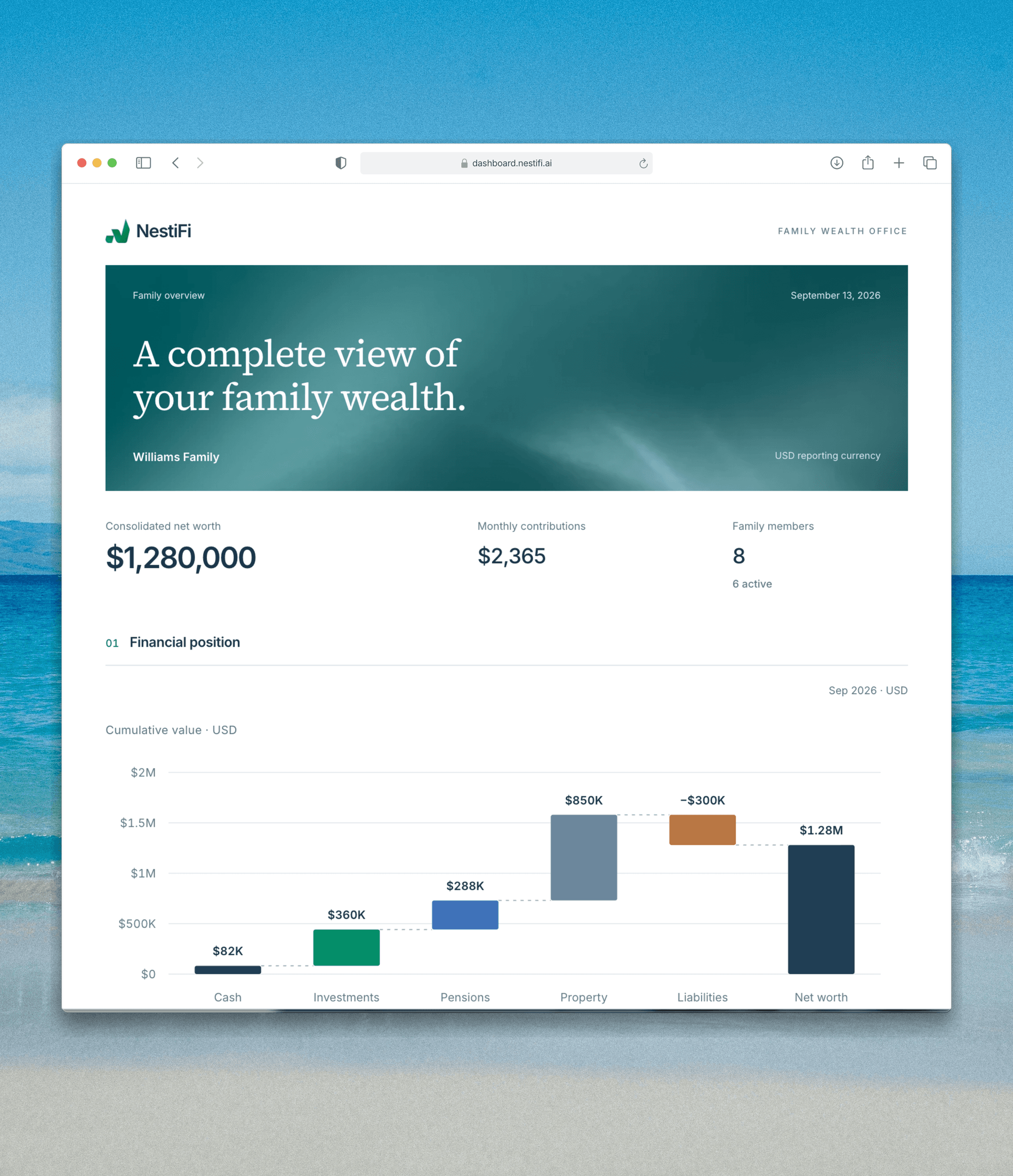
Family overview and financial position

Goals, projections and contributions

Clear reports to review and download

The Williams Family overview report with financial position and contributions, enlarged in a white Safari window

FAMILY DOCUMENTS

Give the plan a clear record.

Keep the family’s financial picture close to the conversation. Bring together their overview, education and saving goals, contributions and family directory.

Family overview and financial position

Goals, projections and contributions

Clear reports to review and download

The Williams Family overview report with financial position and contributions, enlarged in a white Safari window

FAMILY DOCUMENTS

Give the plan a clear record.

Keep the family’s financial picture close to the conversation. Bring together their overview, education and saving goals, contributions and family directory.

Family overview and financial position

Goals, projections and contributions

Clear reports to review and download

The Williams Family overview report with financial position and contributions, enlarged in a white Safari window